




Digital Eye Strain
8 Tips to Relieve Screen Tiredness and Protect Your Eyes
If your eyes feel tired, dry, blurry, or sore after a long day on the computer, you’re not alone. Digital eye strain (also known as computer vision syndrome) – has become one of the most common complaints in modern eye care.
With more time spent on computers, phones, tablets, and gaming devices, many people experience discomfort without realising their daily habits may be the cause.
The good news? There are simple, evidence-based ways to reduce symptoms and make screen time more comfortable.
What Is Digital Eye Strain?
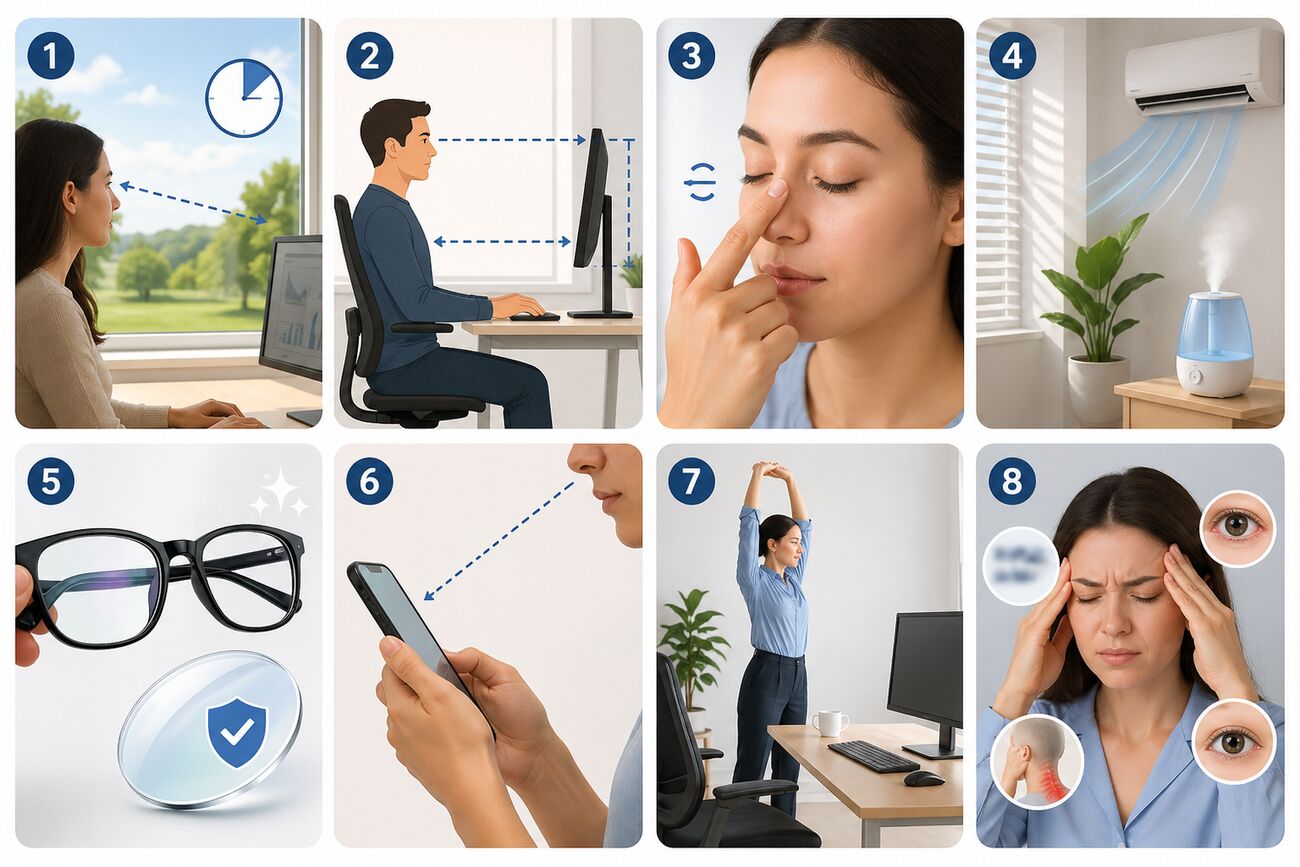
Digital eye strain refers to a group of symptoms caused by prolonged use of digital devices. It can affect adults, students, office workers, and children.
Common symptoms include:
Tired or sore eyes
Dry eyes
Blurred vision
Headaches
Burning or gritty eyes
Neck and shoulder tension
Difficulty focusing after screen use
These symptoms often build up gradually throughout the day.
8 Tips to Help Combat Digital Eye Strain

Different sports place different demands on your vision. Here’s what to look for, sport by sport.
Follow the 20-20-20 Rule
One of the easiest and most effective ways to reduce eye fatigue is the 20-20-20 rule:
Every 20 minutes, look at something 20 feet (6 metres in metric) away for 20 seconds.
This gives your focusing muscles a break and helps reduce strain from prolonged near work.
Tip: Set a timer or use an app reminder until it becomes a habit.
Optimise Your Screen Setup
Your workstation plays a major role in visual comfort.
Best screen positioning:
Distance: 50–70 cm away (about arm’s length)
Height: Slightly below eye level
Font size: Large enough to read comfortably
Brightness: Similar to your room lighting
Contrast: Clear and easy to read
If you’re leaning forward or squinting, your setup likely needs adjusting.
Blink More to Prevent Dry Eyes
Did you know screen use can significantly reduce your blink rate?
When we stare at screens, we blink less often and less completely. This can lead to:
Dryness
Irritation
Redness
Burning sensations
What helps:
Make a conscious effort to blink fully
Pause and close your eyes briefly
Use lubricating eye drops if recommended by your optometrist
If dryness is frequent, you may also have underlying dry eye syndrome.
Improve Your Environment
Your surroundings can make digital eye strain worse.
Try these changes:
Avoid fans or air conditioning blowing directly at your face
Reduce glare from windows
Adjust harsh overhead lighting
Use blinds or curtains if needed
Consider a humidifier in dry rooms
A more comfortable environment can make a big difference.
Use Proper Glasses for Screen Use
Outdated prescriptions are a common cause of eye strain.
Make sure your glasses or contact lens prescription is current - especially if you spend hours on screens each day.
Helpful lens options:
Anti-reflective coatings – reduce glare and reflections
Occupational lenses – designed for desk and screen distances
Blue light filters – may improve comfort for some people
Blue light lenses have mixed evidence for preventing strain, but some people do find them helpful.
Adjust Your Phone Habits
Phones can be more demanding on the eyes than desktop screens because they’re used closer to the face.
Better phone habits:
Hold your phone slightly lower and further away
Increase text size
Use dark mode or night mode if comfortable
Avoid marathon scrolling sessions without breaks
Small changes can reduce stress on your eyes.
Take Regular Movement Breaks
Eye strain is often linked with poor posture and muscle tension, too.
Every 1–2 hours:
Stand up
Stretch
Roll your shoulders
Walk around briefly
This helps both your eyes and your body feel better.
Don’t Ignore Ongoing Symptoms
Occasional tired eyes are common - but persistent symptoms may need professional assessment.
Book an eye test if you regularly experience:
Frequent headaches
Ongoing blurred vision
Burning or gritty eyes
Difficulty focusing
Neck and shoulder pain
Eyestrain despite taking breaks
Sometimes digital eye strain is made worse by:
Uncorrected prescription changes
Binocular vision problems
Dry eye disease
Progressive myopia
Poor ergonomics
Quick Digital Eye Strain Checklist
Screen at arm’s length
Slight downward gaze
Good lighting
Reduced glare
Blink regularly
Take breaks
Updated glasses
Eye test if symptoms continue

Final Thoughts
Need Help with Eye Strain?
If screen use is causing headaches, blurry vision, or tired eyes, a comprehensive eye exam can identify the cause and help you find the right solution.
At Optometry Outlet, we can assess your vision, check for dry eye, review your prescription, and recommend the best options for comfortable screen use.
Ready to See Clearly?
Reach Out Today.
We Accept All Major Health Funds